From the table
to the books.
The waiter’s tablet takes the order, the kitchen gets its ticket, and the stock, the cash, payroll and reports follow by themselves.
- Offlineorders and printing go on without internet
- Two currenciesa second one of your choice on every bill
- No cardneeded to try everything
Tably runs the whole restaurant — tables, kitchen, cash, stock and the team — so your team serves people, not screens.
Open tonight. Set up in an evening.
No installer to visit, no hardware to buy from us: Tably runs on the tablets and printers you already have.
- 1
Set up on the websiteAbout an hour
Add the menu with photos and prices, draw the tables, invite the staff with their PINs.
- 2
Install on the tabletsA few minutes each
The Tably app on Android or Windows, or the browser on an iPad. Sign in with the restaurant account and choose the tablet; the menu and floor appear.
- 3
Take the first orderTonight
The waiter picks the table, the kitchen gets its ticket, the guest pays — and stock, cash and reports follow by themselves.
Every part of the restaurant, in one place.
One system from the first order to the month’s salaries — every part sees what the others did.
Take the order where the guest sits
Tables on the floor plan, guest numbers or a counter. Dishes by their photos, a bill split by guests, dishes moved and tables joined — and the order keeps going without internet.
Start free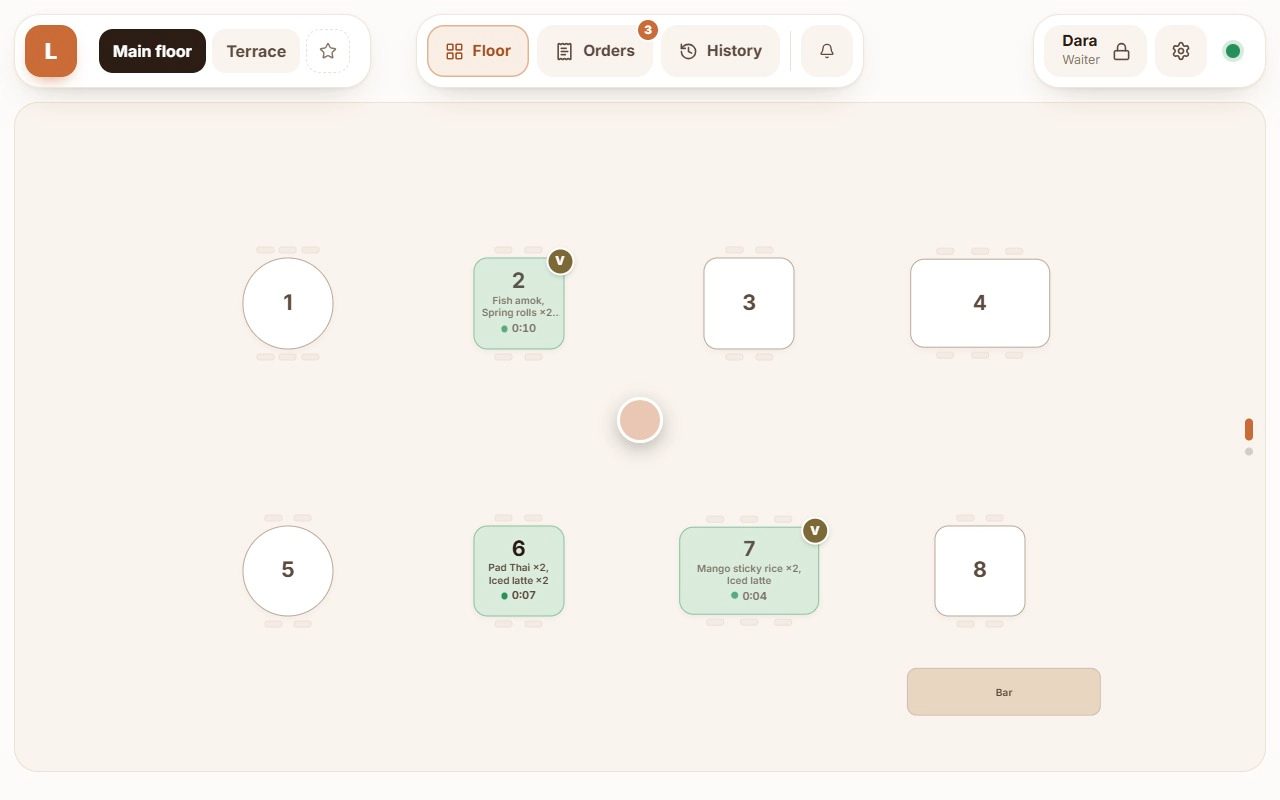
- Works offline
Orders and printing go on without internet.
- QR menu
The menu on the guest’s phone, in their language.
- Roles and PINs
A PIN on the tablets, a manager’s code for refunds.
- API and AI
Webhooks, Telegram notices and AI assistants.
The back office,
as it is.
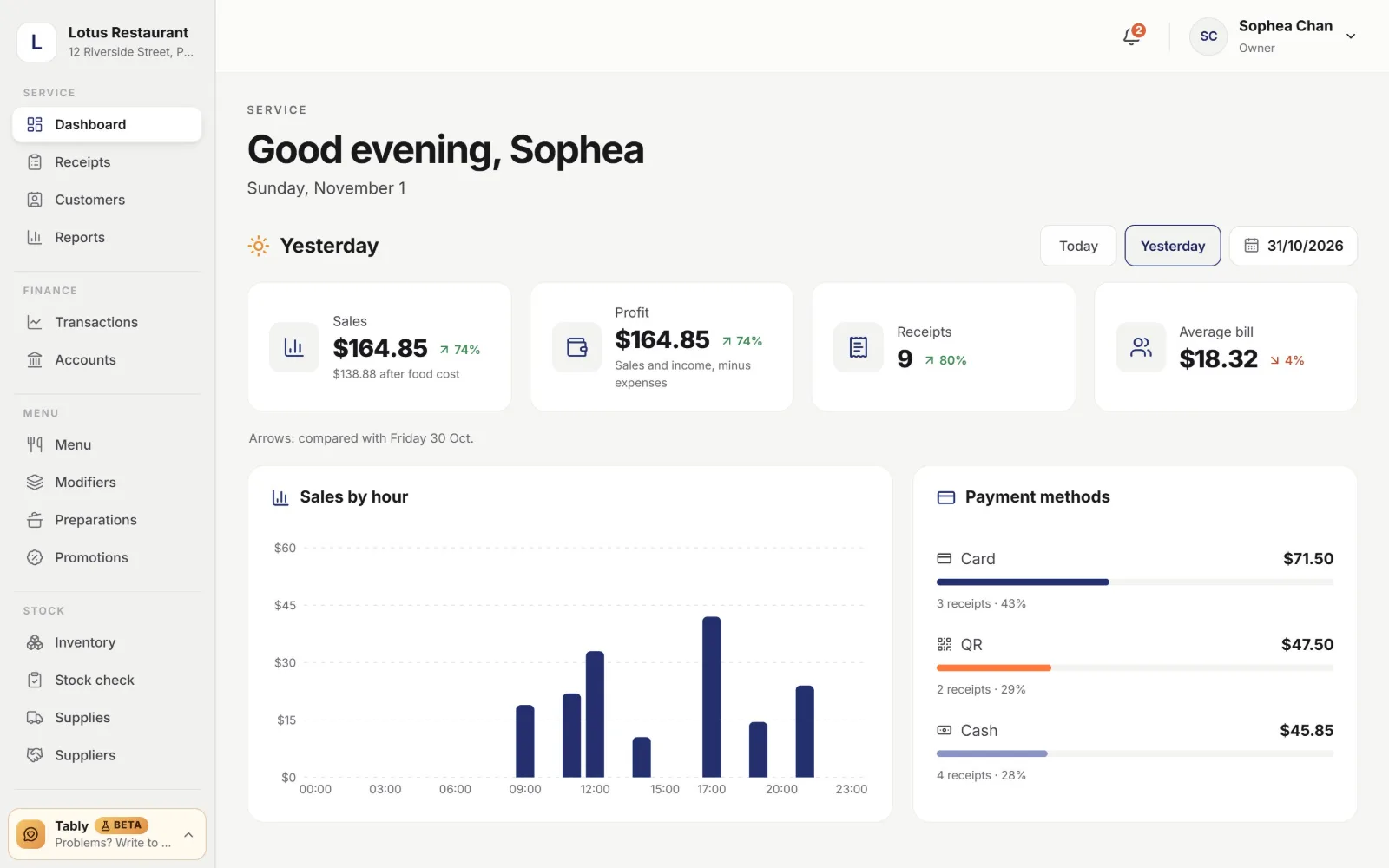
Today’s sales, profit after food cost, the average bill and which payment methods came in — against the day before.
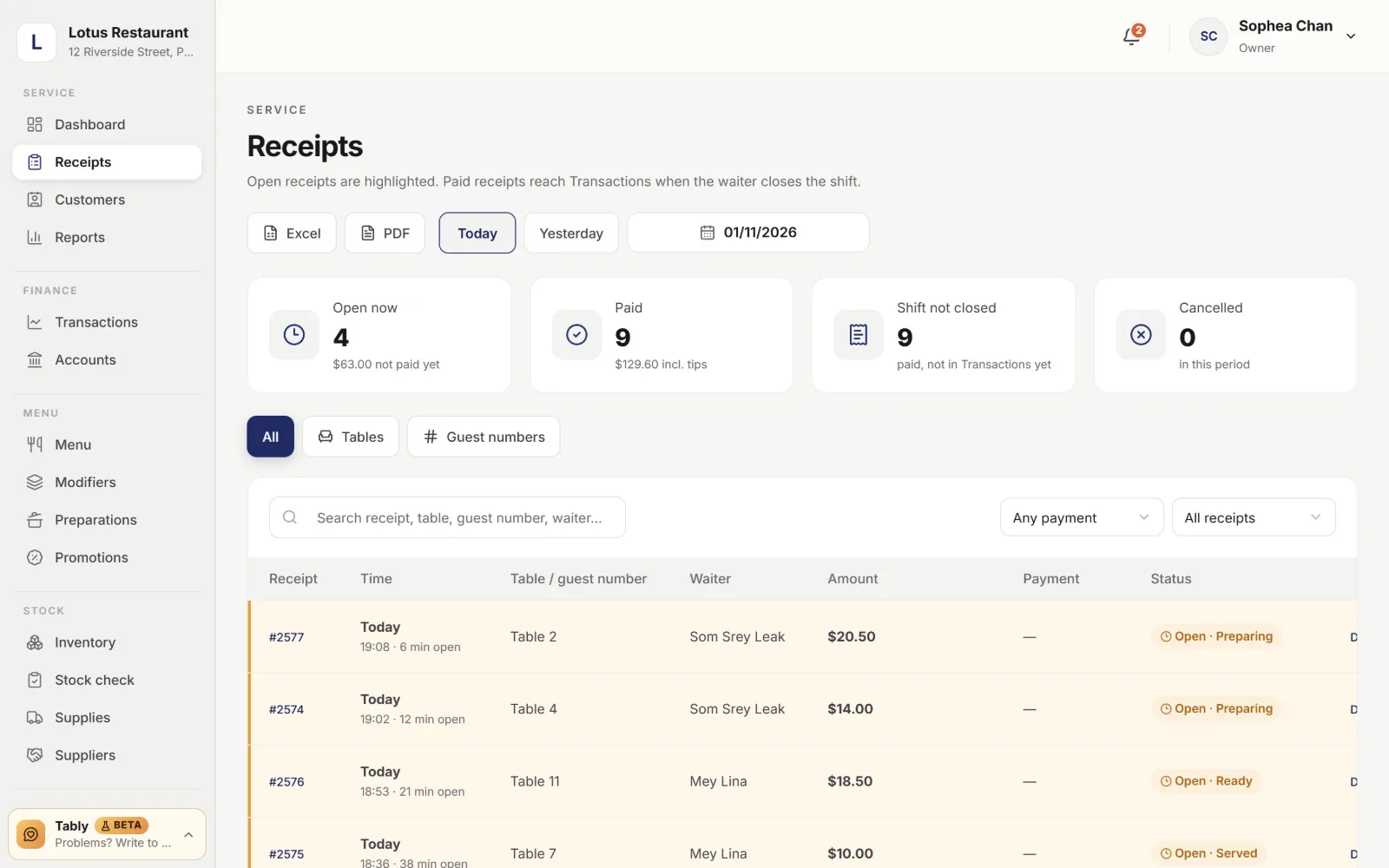
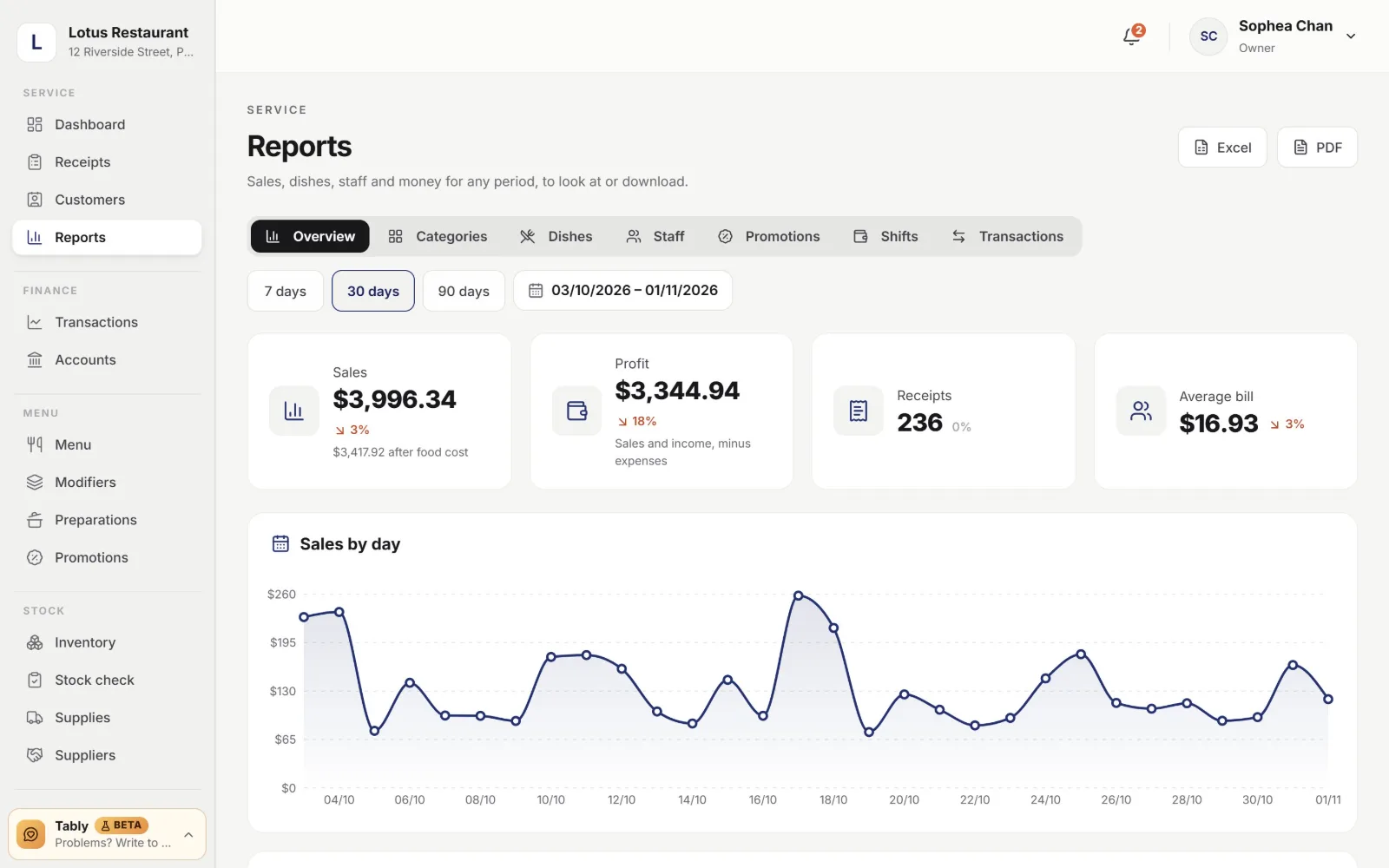
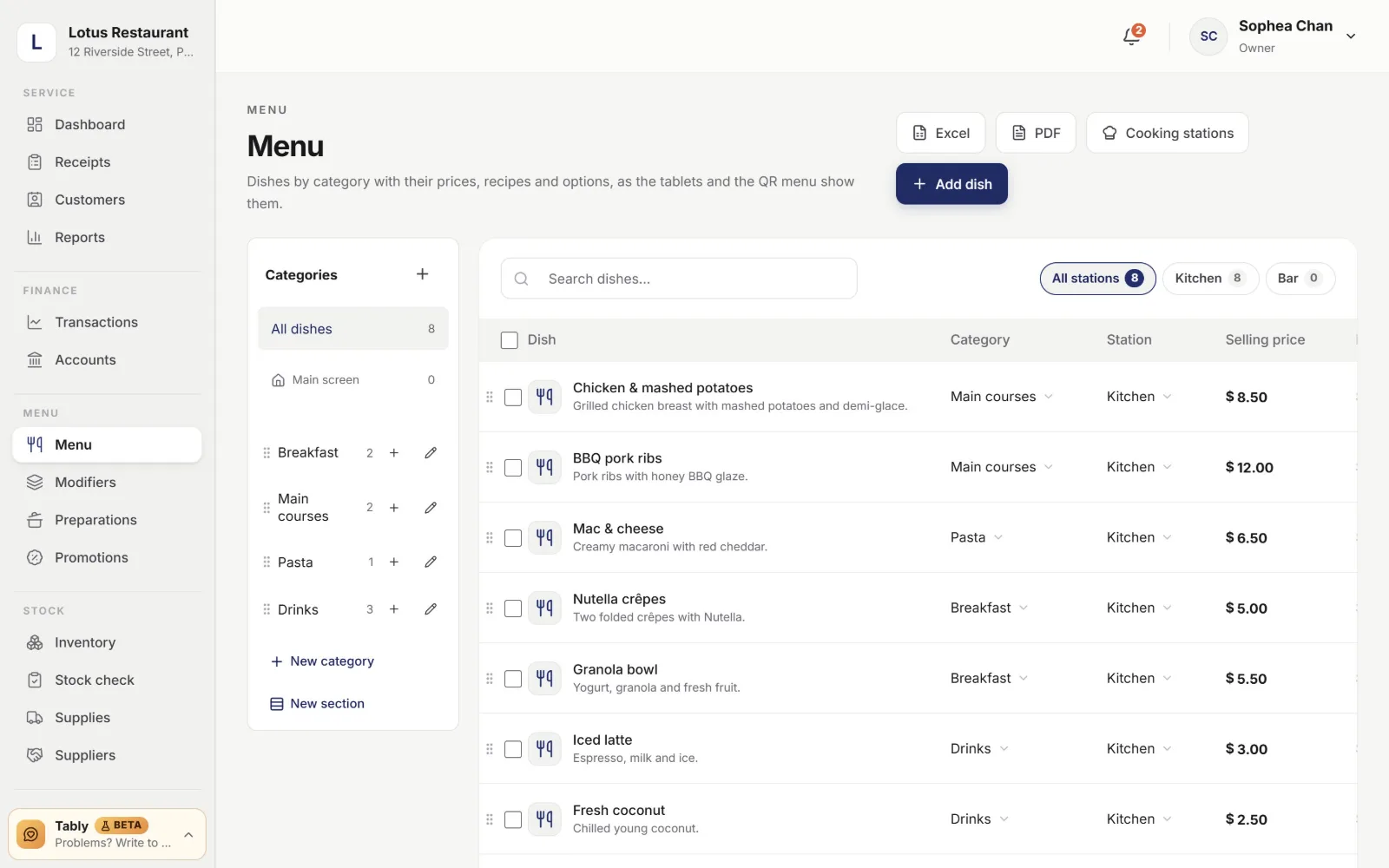
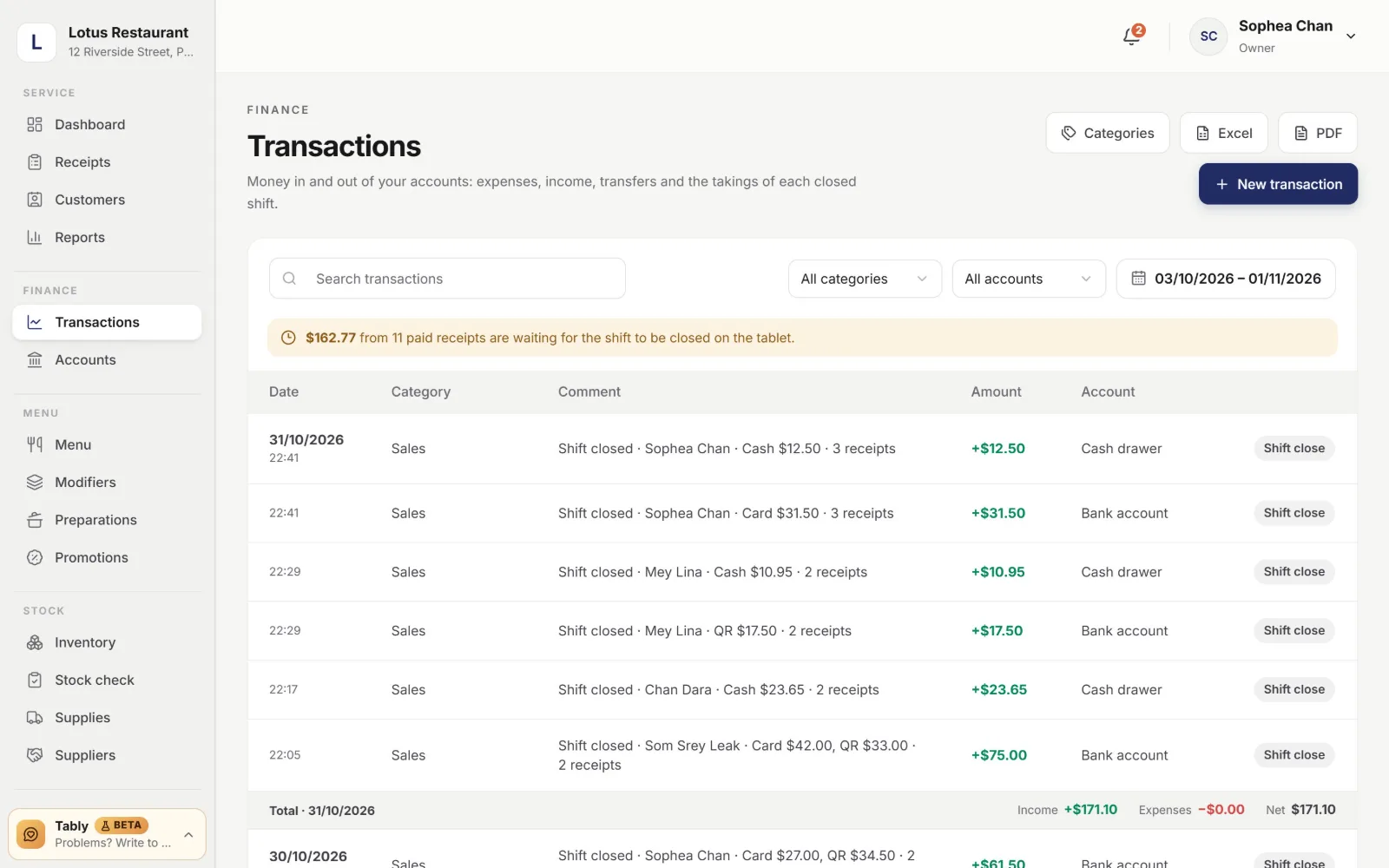
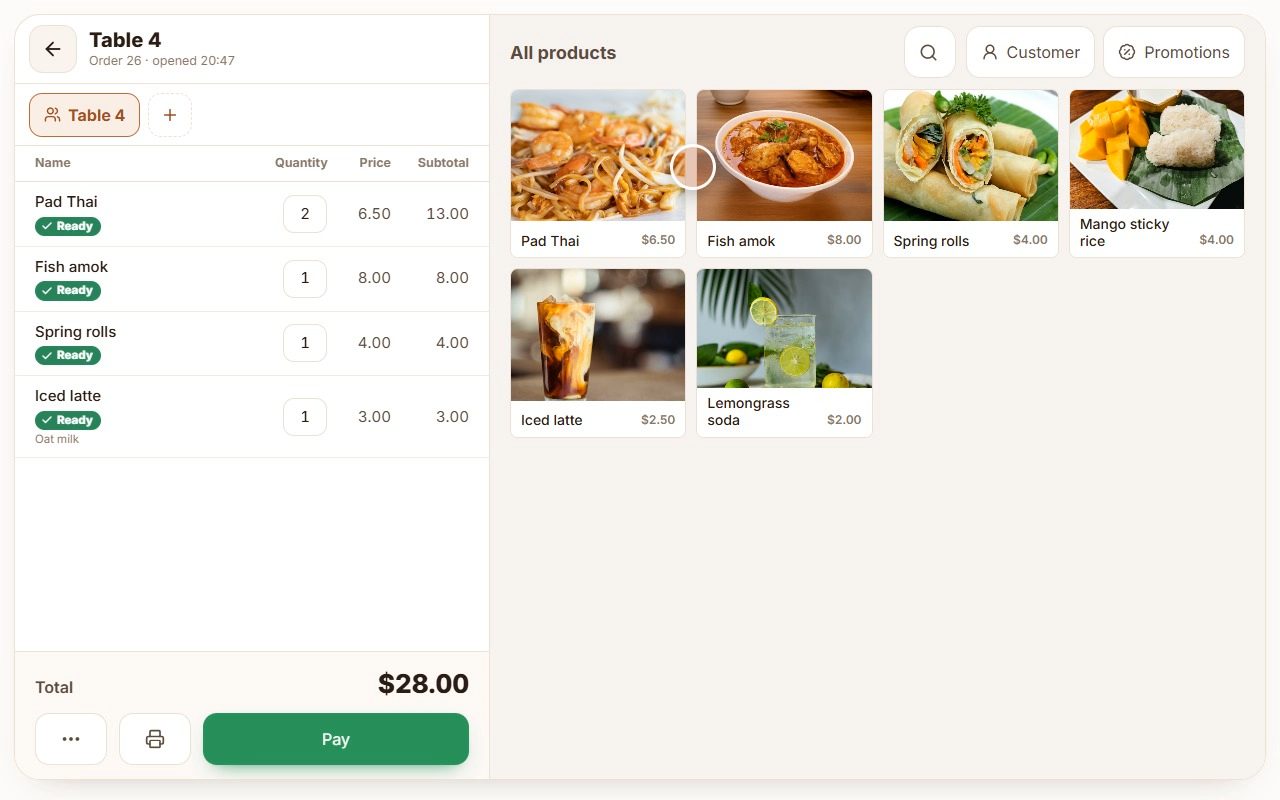
One order, start to finish.
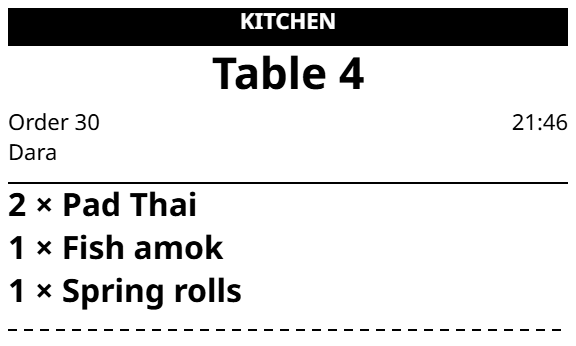
The waiter’s tablet, the kitchen printer and screen, the payment and the owner’s website — one order all the way through.
Table 4: dishes by their photos, oat milk for the latte, and the ticket goes to the kitchen with one tap.
Tables, numbers or a counter.
Pick the way you serve in Settings; the tablets change with it.
Table service
Waiters see the whole floor: which tables are taken, what they ordered and how long they have waited. A tap opens the table.
- Floors and terraces drawn to match the room
- Green: served · red: waiting too long
- Another waiter’s table shows their initials
Made for your kind of place.
The same Tably, set up the way you serve.

Coffee shops
For cafes and coffee shops: counter service, drink options, the beans and milk counted by the recipe.
Coffee Shop POS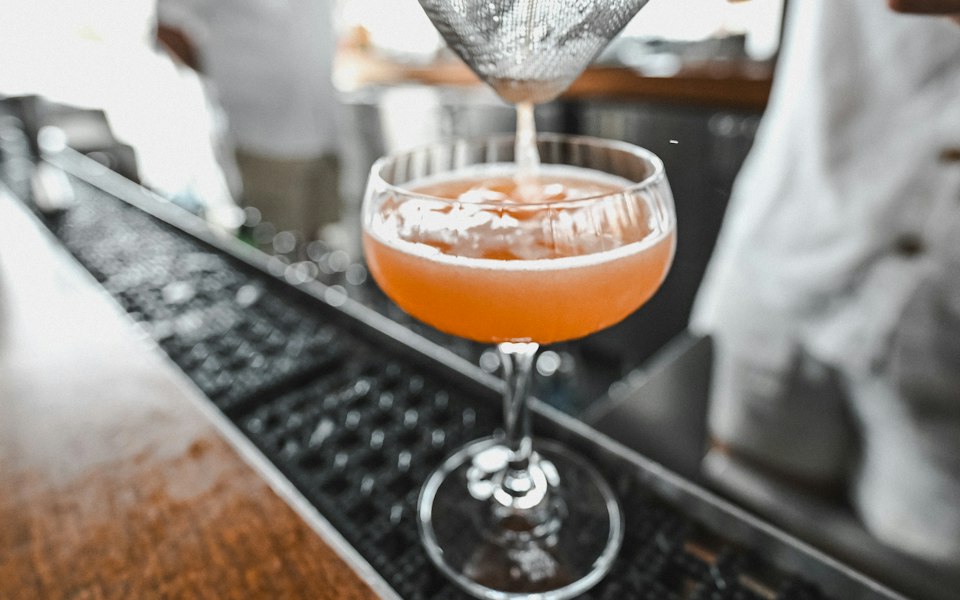
Bars
Tabs that stay open, drinks to the bar and food to the kitchen, the till counted at close.
Bar POS
Restaurants
Tables on the floor plan, tickets for each station, food cost, payroll and reports.
Restaurant POS
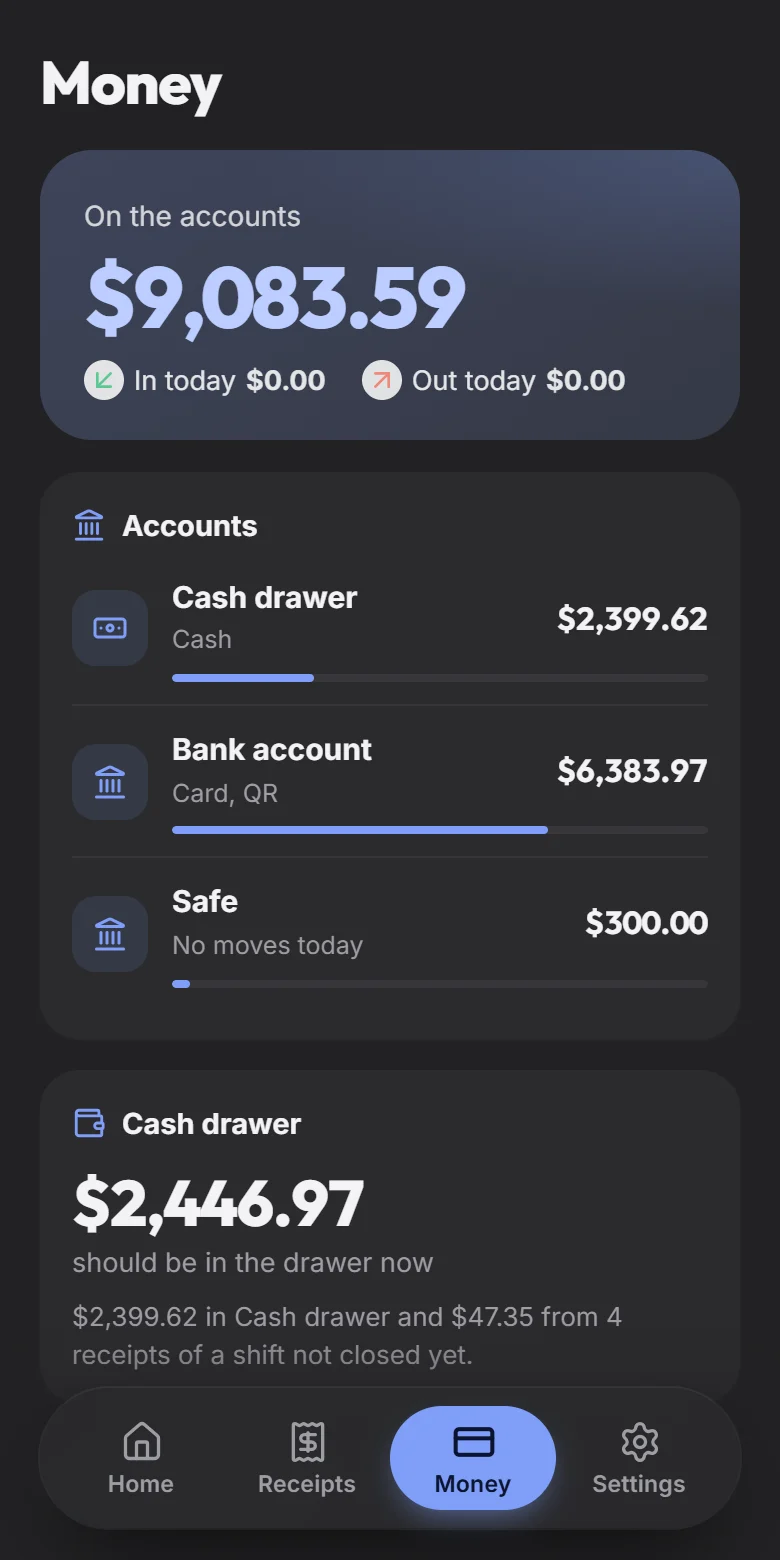
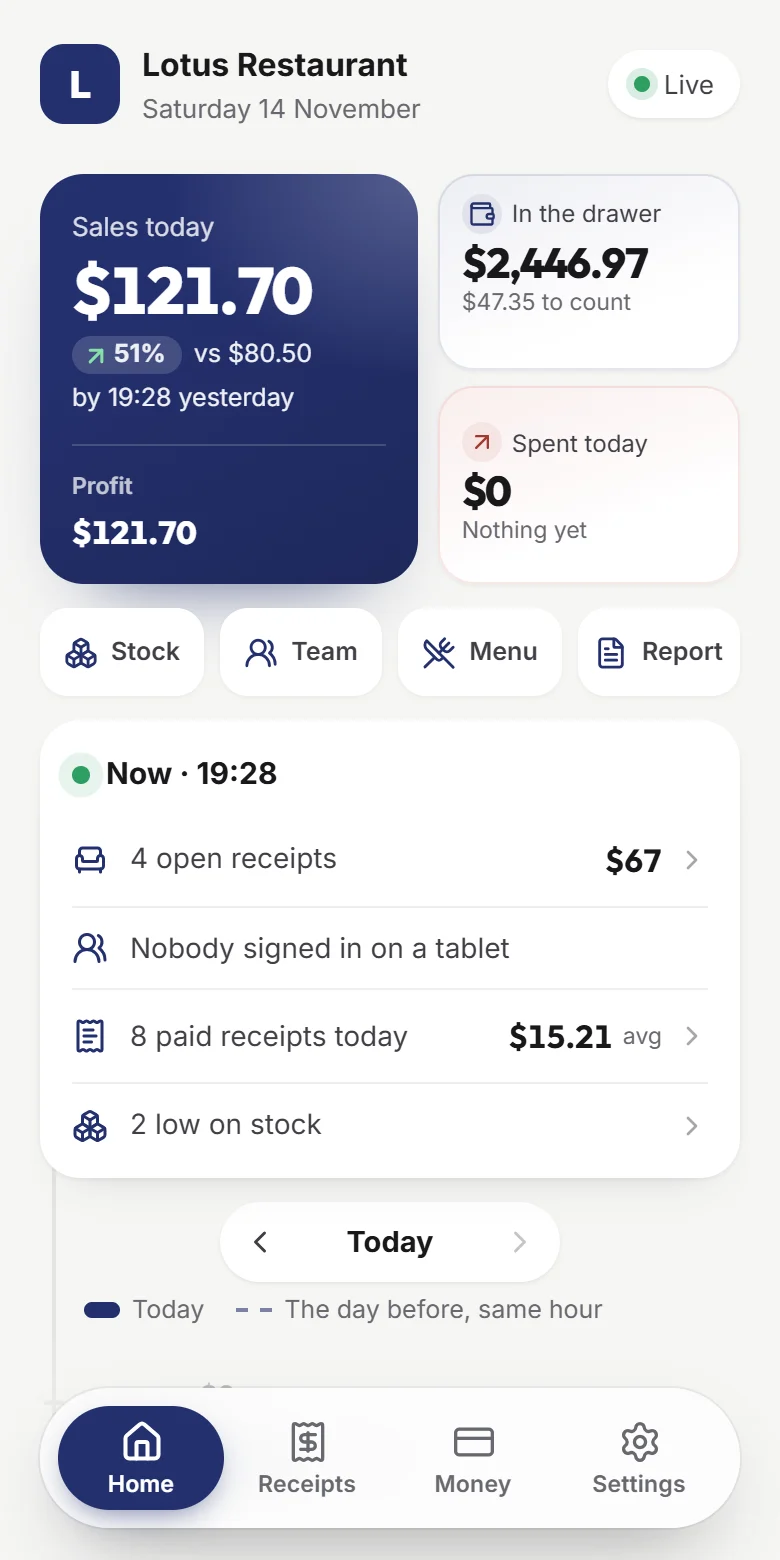
The restaurant in your pocket.
Everything the back office knows, on your phone — live, in your restaurant’s colours, for every restaurant you run.
- Sales today against yesterday by the same minute, hour by hour
- Cash that should be in the drawer, expenses added on the go
- A dish that ran out hidden from the tablets with one tap
- Who is on shift, open tables, the day report to share
- A widget on the home screen, light or dark
Works with what you use.
Tably talks to the rest of your day: the chats you read, the tools you run, the assistants you ask.
Telegram
The day’s report, shift closes, low stock, salary days and cancelled dishes sent to your chat as they happen.
API and webhooks
Orders, menu, stock and payments over a REST API; events pushed to your own systems.
AI assistants
Connect Claude, ChatGPT or Cursor: ask about your sales, or let them add dishes and record deliveries. Zapier, Make and n8n too.
QR menu
The menu on the guest’s phone in their language, with photos, prices and what is out today.
On the devices you have.
A tablet is ready in minutes: install, sign in with the restaurant account, choose the tablet, and the menu and floor are there.
Android tablets
The Tably app keeps working in the background, prints over Wi‑Fi, Bluetooth or USB, and updates itself.
Download for AndroidWindows
For the counter or the office: USB receipt printers, a cash drawer, and the same POS.
Download for WindowsiPad and any browser
Open tablypos.com/pos and add it to the home screen — nothing to install.
Set up an iPad
Simple plans.Start free, grow later.
Frequently asked questions
Yes: every new restaurant gets 14 days with everything included, without a card. After it, choose a plan in Settings → Tably billing.
Yes, at any time. A new plan starts the same day, and the unused days of your current paid period are credited to it.
In Settings → Tably billing. Your plan stays active until the end of the paid period and then stops renewing. Your data is kept: you can come back to a plan later.
Yes: ask within 14 days of any payment — monthly or yearly, a plan or an add-on — and you get it back in full. Read the refund policy for the details.
Paddle.com, our online reseller and Merchant of Record: you pay by card or other methods on Paddle’s secure checkout, sales tax is included, and Paddle emails the receipt.
Extras for any plan, such as the kitchen display: orders on a screen in the kitchen instead of paper tickets. Turn one on in Settings → Add-ons — free for a trial the first time — and you pay only for the days it is on, together with your plan’s next payment.
A tablet or a computer with a browser — Android tablets, iPads and Windows computers all work — and, for printing, a receipt printer on your Wi‑Fi.
The tablets keep taking orders and printing; everything is sent to the server when the connection is back.
More about the plans: Plans and add-ons
Your first table, tonight.
- Everything included
- No card needed
- 14 days free
Set up the menu, tables and staff on the website; the tablets follow.